Analysis you can check, for every decision in the deal.
The AI Builder Agent turns financials and deal terms into a valuation range, a normalized earnings bridge and scenarios. It shows every assumption and its source, recalculates when the numbers change, and never presents a valuation as certified.
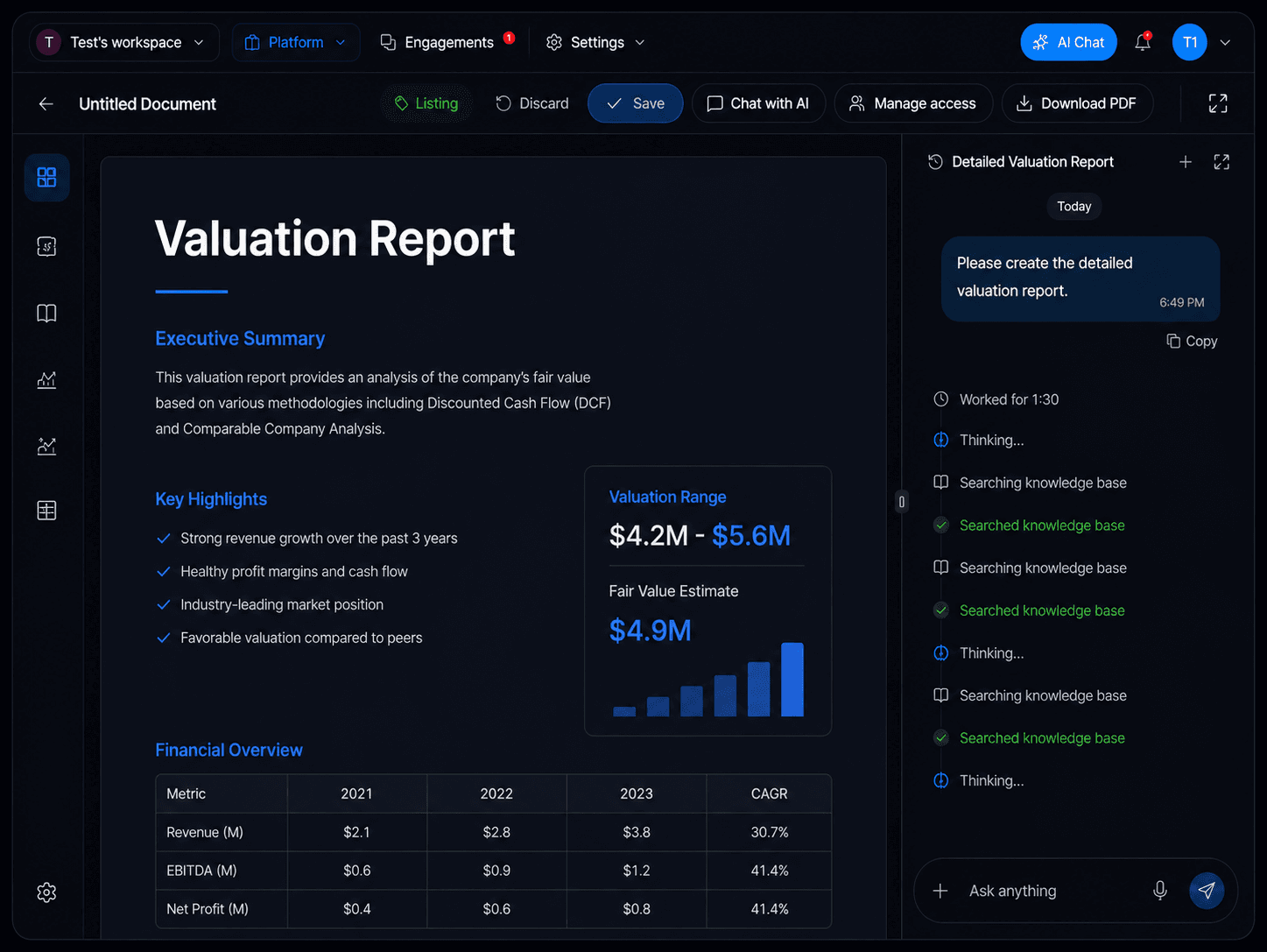
What this agent can do
- 1Builds a valuation range and shows the methods behind it
- 2Normalizes EBITDA or SDE and explains each adjustment
- 3Runs scenarios and sensitivities on price, structure and performance
- 4Builds the acquisition thesis or investment case
- 5Estimates offer capacity and the return profile
- 6Keeps an assumption and evidence ledger for every figure
- 7Recalculates automatically when financials or deal terms change
Example prompts
Pick one and Ask Alisha starts on it straight away.
Value this business and show the normalized EBITDA bridge behind the range.
Run three offer scenarios for this deal and show the return on each.
Recalculate the valuation with the updated 2025 accounts in the data room.
What you see while the agent works
Every task moves through the same visible stages, so you always know what is happening in the background.
- UnderstandingThe agent is interpreting the prompt, goal and available context.
- PlanningThe agent has converted the request into steps, sources and deliverables.
- WorkingThe agent is completing the task in the background.
- Waiting for inputA missing fact or user choice blocks meaningful progress.
- Approval requiredA sensitive or external action is ready for review.
- CompletedThe output is delivered with sources, actions taken and recommended next step.
- MonitoringThe agent is continuing an approved recurring or conditional workflow.
How it works with the agent team
Uses evidence and comparables from Company Intelligence and files from the Data Room Agent, gives normalized figures to Listing Builder and Document Builder, and gives the Deal Agent valuation and offer analysis. It starts on its own when a buyer gains deal room access.
Workspace applications
Seller understands value before going to market; buyer tests a price before making an offer.
Explore this workspaceAdvisor gives clients consistent, evidenced valuations.
Explore this workspaceInvestment team screens returns and offer capacity across the pipeline.
Explore this workspaceAutonomous work with clear control
SellAnyBiz agents can research, analyze, create and monitor in the background. The user remains in control of confidential access, external communication and commercial decisions. Every agent works within workspace roles, approved data sources and task-level permissions.
Permission aware
Agents only use the records, connected sources and actions available to the user and approved for the task.
Approval gates
Publishing, first-time external outreach, confidential access changes and legally or commercially consequential actions can require review.
Traceable work
Important outputs show the source records, assumptions, confidence and agent activity behind them.
Role based access
Owners, buyers, advisors, team members and counterparties see only the information assigned to their role.
Editable memory
Users can review and update the goals, criteria, preferences and instructions Ask Alisha uses.
Human professional judgment
Agents support execution and decision-making. Legal, tax, regulatory and investment decisions remain subject to qualified professional review.
Meet the rest of the team
- Success CopilotAsk AlishaMeet this agent
- Listed opportunity searchOpportunity Discovery AgentMeet this agent
- People finding and matchingPeople Intelligence & Match AgentMeet this agent
- Evidence-backed company researchCompany Intelligence AgentMeet this agent
- Off-market target pipelineDeal Origination AgentMeet this agent
- Transaction documentsDocument BuilderMeet this agent
- Market-ready listingsListing BuilderMeet this agent
- Exit readiness and secure diligenceData Room AgentMeet this agent
- Transaction progressionDeal AgentMeet this agent
- AI Outreach and reply handlingConversation AgentMeet this agent