Know who matters in every transaction.
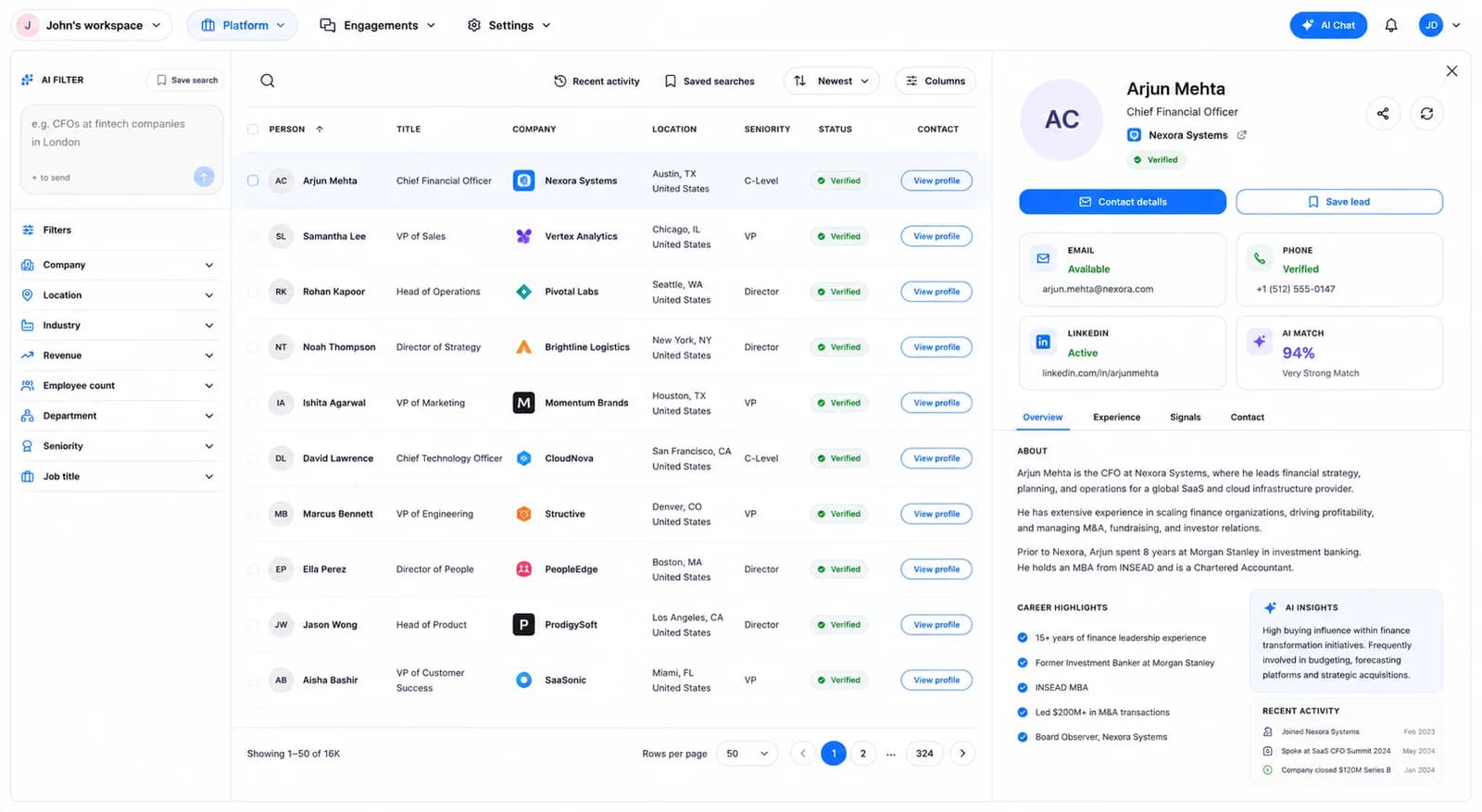
Turn a business, mandate or target company into a prioritized relationship map. The agent works in two modes: Find locates the owners and decision-makers of a company, and Match searches the wider network for the buyers, investors and advisors who fit, then explains why.
What this agent can do
- 1Find mode: locates and enriches the owners and decision-makers of a named company
- 2Match mode: searches the wider people database for buyers, investors and advisors who fit a listing or mandate
- 3Enriches roles, company relationships, acquisition interests and professional context
- 4Maps advisors, intermediaries and warm relationship paths
- 5Scores economic fit and contact quality, with evidence for each match
- 6Respects suppression lists and earlier negative replies
- 7Passes outreach-ready audiences to the Conversation Agent when the goal allows outreach
Example prompts
Pick one and Ask Alisha starts on it straight away.
Find the best 50 strategic buyers for this UAE veterinary group.
Identify the owners and senior decision-makers at these 100 target companies.
Match this listing to buyers in our database who have the capital and sector interest.
What you see while the agent works
Every task moves through the same visible stages, so you always know what is happening in the background.
- UnderstandingThe agent is interpreting the prompt, goal and available context.
- PlanningThe agent has converted the request into steps, sources and deliverables.
- WorkingThe agent is completing the task in the background.
- Waiting for inputA missing fact or user choice blocks meaningful progress.
- Approval requiredA sensitive or external action is ready for review.
- CompletedThe output is delivered with sources, actions taken and recommended next step.
- MonitoringThe agent is continuing an approved recurring or conditional workflow.
How it works with the agent team
Finds the owners and decision-makers Deal Origination and Company Intelligence ask for, gives buyer matches to Listing Builder and the Deal Agent, and passes outreach-ready audiences to the Conversation Agent.
Workspace applications
Seller finds relevant buyers; buyer identifies owners.
Explore this workspaceAdvisor builds buyer universes and relationship maps.
Explore this workspaceInvestment team maps owners, executives and intermediaries.
Explore this workspaceAutonomous work with clear control
SellAnyBiz agents can research, analyze, create and monitor in the background. The user remains in control of confidential access, external communication and commercial decisions. Every agent works within workspace roles, approved data sources and task-level permissions.
Permission aware
Agents only use the records, connected sources and actions available to the user and approved for the task.
Approval gates
Publishing, first-time external outreach, confidential access changes and legally or commercially consequential actions can require review.
Traceable work
Important outputs show the source records, assumptions, confidence and agent activity behind them.
Role based access
Owners, buyers, advisors, team members and counterparties see only the information assigned to their role.
Editable memory
Users can review and update the goals, criteria, preferences and instructions Ask Alisha uses.
Human professional judgment
Agents support execution and decision-making. Legal, tax, regulatory and investment decisions remain subject to qualified professional review.
Meet the rest of the team
- Success CopilotAsk AlishaMeet this agent
- Listed opportunity searchOpportunity Discovery AgentMeet this agent
- Evidence-backed company researchCompany Intelligence AgentMeet this agent
- Off-market target pipelineDeal Origination AgentMeet this agent
- Valuation and investment analysisAI Builder AgentMeet this agent
- Transaction documentsDocument BuilderMeet this agent
- Market-ready listingsListing BuilderMeet this agent
- Exit readiness and secure diligenceData Room AgentMeet this agent
- Transaction progressionDeal AgentMeet this agent
- AI Outreach and reply handlingConversation AgentMeet this agent