Use Case 09
Manage the deal to close
Platform walkthrough
Learn from the actual platform screens and written steps, then perform the authorized actions in your own workspace. Actions explained in the video are not necessarily completed in the example.
Browse use cases for Business ownerStep-by-step guide
The same walkthrough in writing, with a screenshot for every step.
This walkthrough uses actual platform screens. Actions requiring an authorized user are explained for you to perform in your workspace.
1. Find the correct opportunity
Open Platform → Deal Room → Search your deals in the correct workspace. The safe capture has no client records.
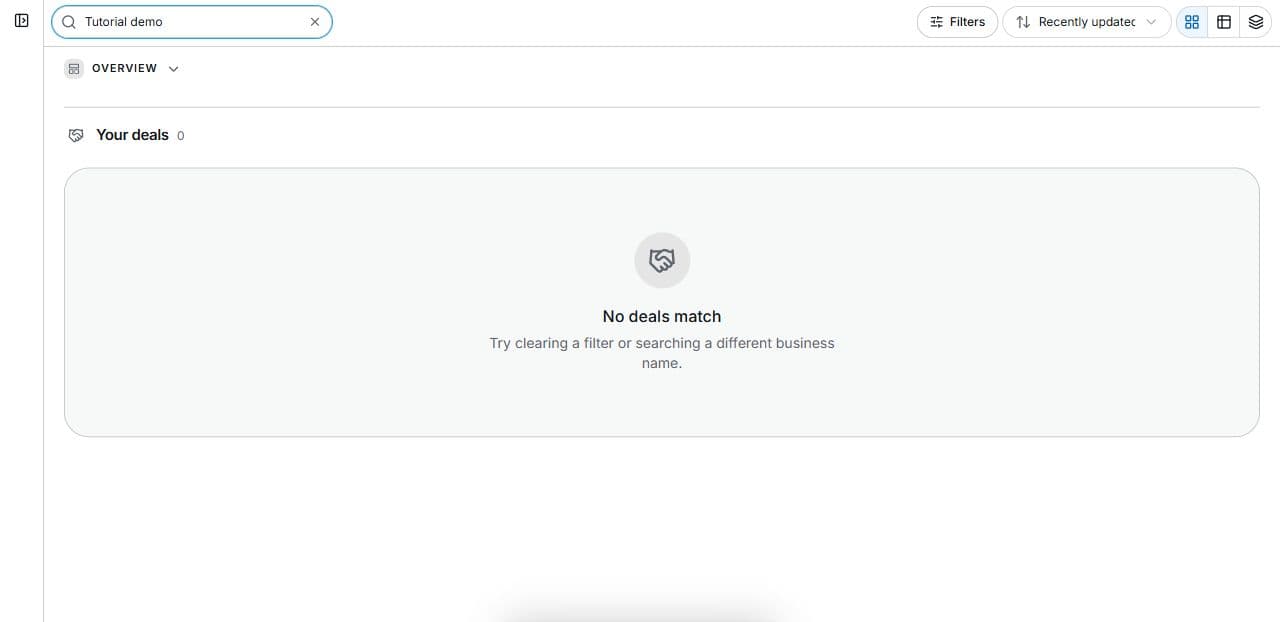
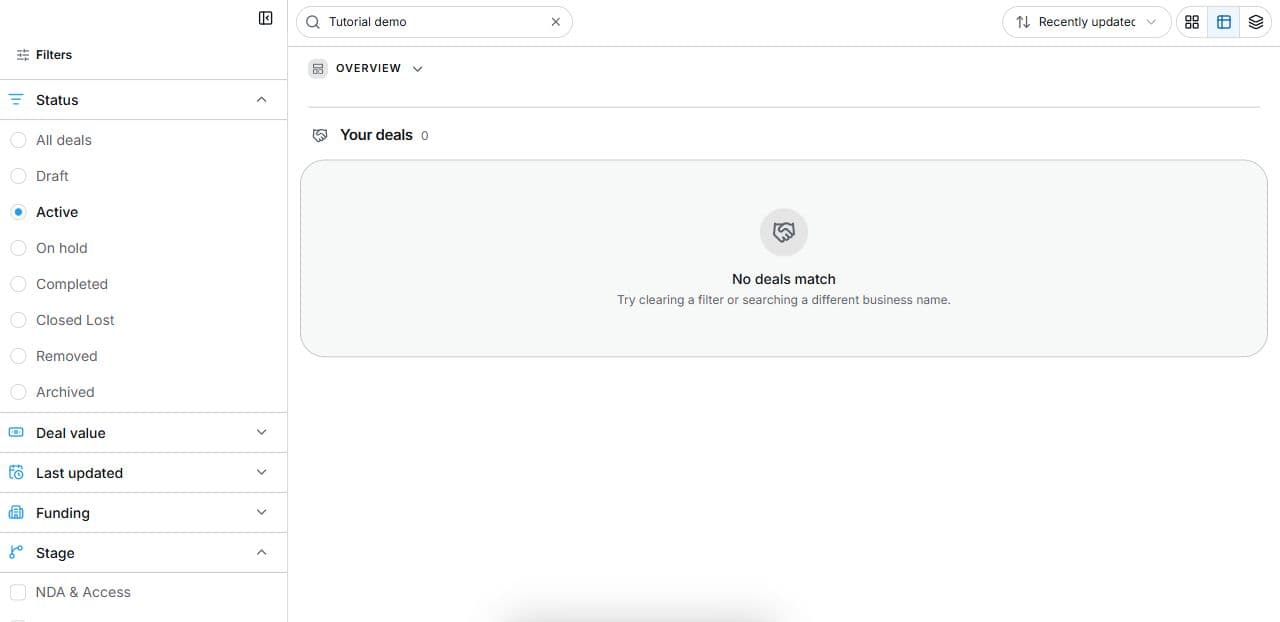
2. Find the relevant status and stage
Open Deal Room → Filters. Combine Status, Stage and Search. The empty capture excludes client records. Filters do not change transactions.
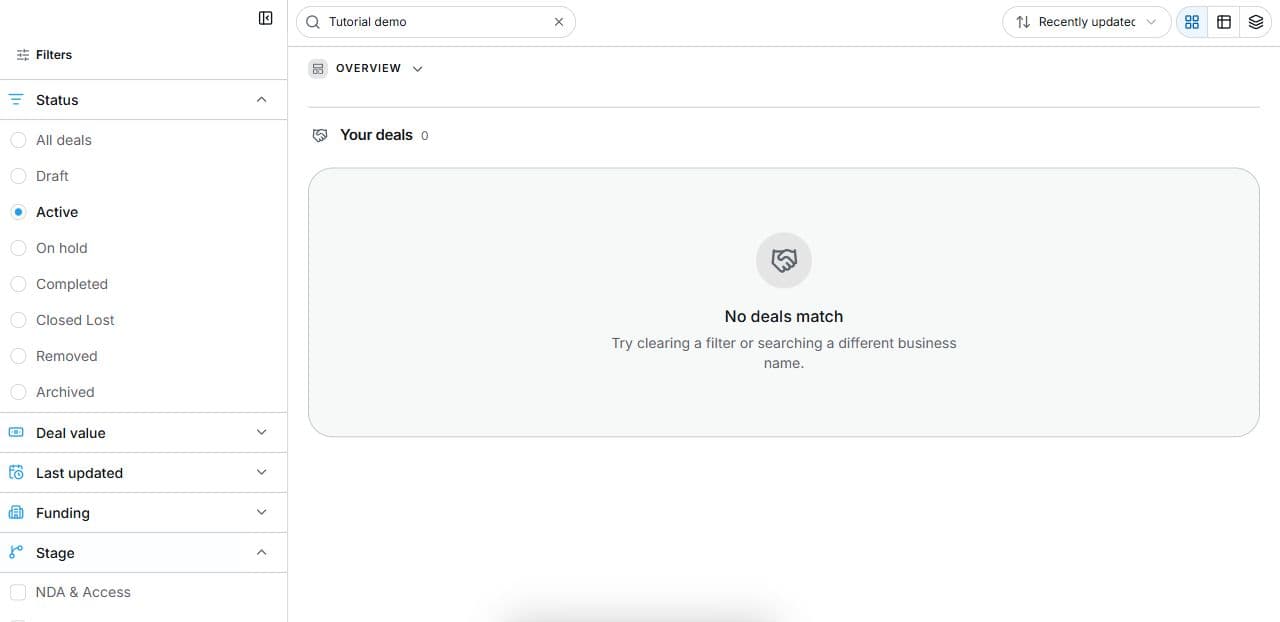
3. Open the permitted deal
Choose Open deal in a permitted result. Review Checklist, the next item, Answer questions, Create a task and Documents. Resolve prerequisite items before locked stages.
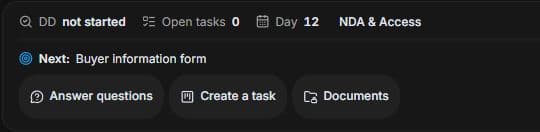
4. Plan the next evidence task
Open Tasks → Add Task. Set a precise action, Status, Assignee, Due, Priority and Owner side. Verify responsibility and permissions before saving a real task.
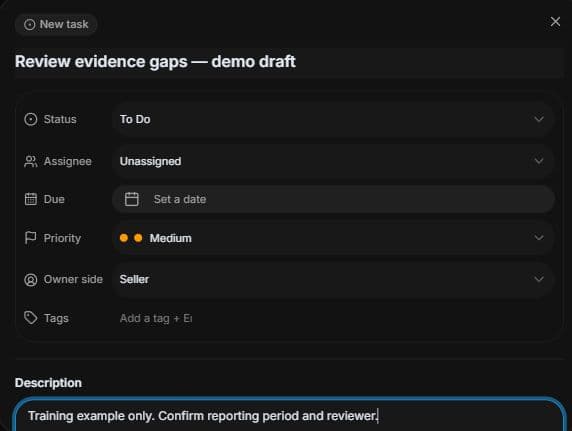
5. Review the outcome and next step
Agree with your broker what supports the next milestone: an LOI, diligence response or closing document. Resolve blockers before completing work. Readiness measures evidence preparation, not price or certainty of sale. This training example advances, approves and closes no transaction; real milestones require the responsible parties and supporting records.
Common questions
Short answers to what people ask most about this part of the product.
Does high progress make my sale certain?
No. Task progress records work. Completion depends on parties, evidence, contracts and remaining conditions.
What should I check before the next milestone?
Review the actual LOI, diligence evidence or closing requirement with the broker and responsible party. Resolve open conditions rather than relying only on stage or task progress.
Why are the shown controls in English?
These real platform captures use English labels. Italian narration and instructions retain them so you can identify the exact shown controls.
Why is the next stage locked?
Read the checklist’s prerequisite message. Complete the earlier required items with the authorised responsible party before expecting later stages to unlock. Task completion alone does not confirm contractual completion.
Video transcript
Your buyer has moved beyond the first enquiry and you need to understand what remains before closing. Find the business in Deal Room and inspect its current stage. Treat it as a workflow checkpoint: a later stage does not eliminate unresolved questions, source evidence, required signatures or contractual approval conditions. Open Filters in Deal Room. Status describes the overall state; Stage identifies a transaction step such as NDA and Access, Pre LOI Review, Offer, Escrow and Funding, Due Diligence or Close. Combine these with Search to find work. A filter changes the displayed list; it does not advance, sign off or approve the deal. In a permitted result, choose Open deal and review the checklist and the next required item. The deal offers Answer questions, Create a task and Documents. Later stages can stay locked until earlier required items are complete. Use the checklist to identify the evidence and responsible side. A progress percentage is not a probability of closing. Open Tasks and Add Task, or use Create a task. Give the action a precise name and description. Review Status, Assignee, Due date, Priority and Owner side. Match the responsible side to the actual evidence requirement; the organiser’s example shows Seller. Check the permissions before saving a real task. This fictional draft was cancelled without creating a task. Agree with your broker what supports the next milestone: an LOI, diligence response or closing document. Resolve blockers before completing work. Readiness measures evidence preparation, not price or certainty of sale.
Watch the video, or follow the written steps below. Both cover the same walkthrough.