Use Case 13
Manage due diligence
Platform walkthrough
Learn from the actual platform screens and written steps, then perform the authorized actions in your own workspace. Actions explained in the video are not necessarily completed in the example.
Browse use cases for BuyerStep-by-step guide
The same walkthrough in writing, with a screenshot for every step.
This walkthrough uses actual platform screens. Actions requiring an authorized user are explained for you to perform in your workspace.
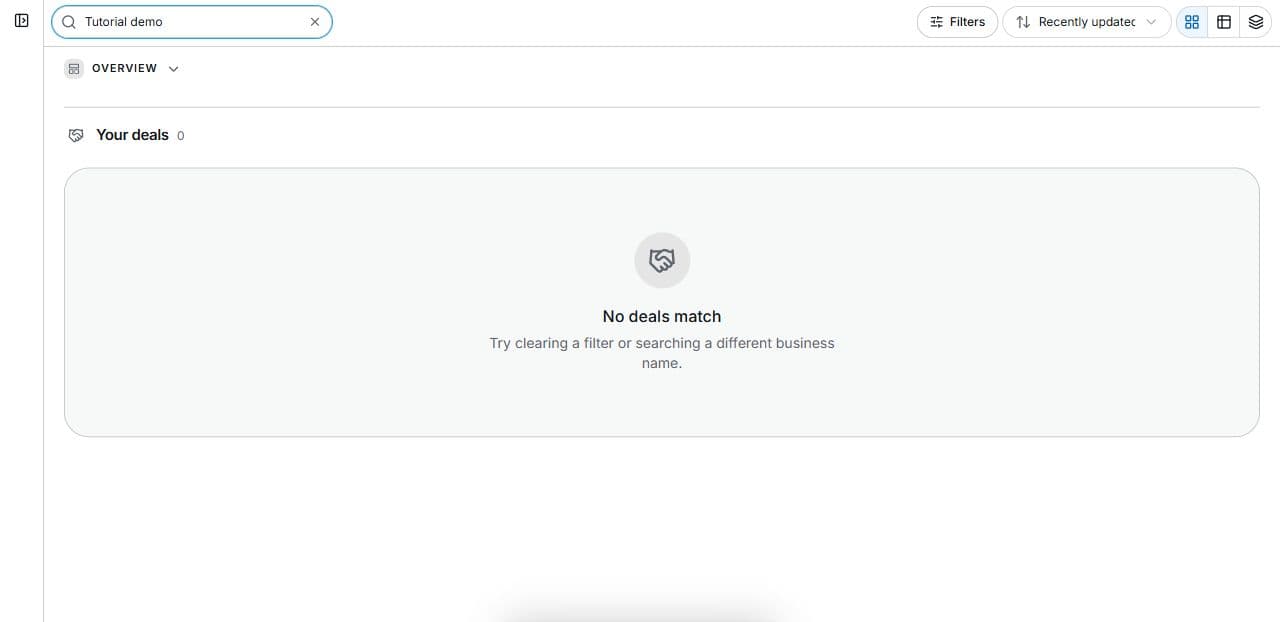
1. Find the correct opportunity
Open Platform → Deal Room → Search your deals in the correct workspace. The safe capture has no client records.
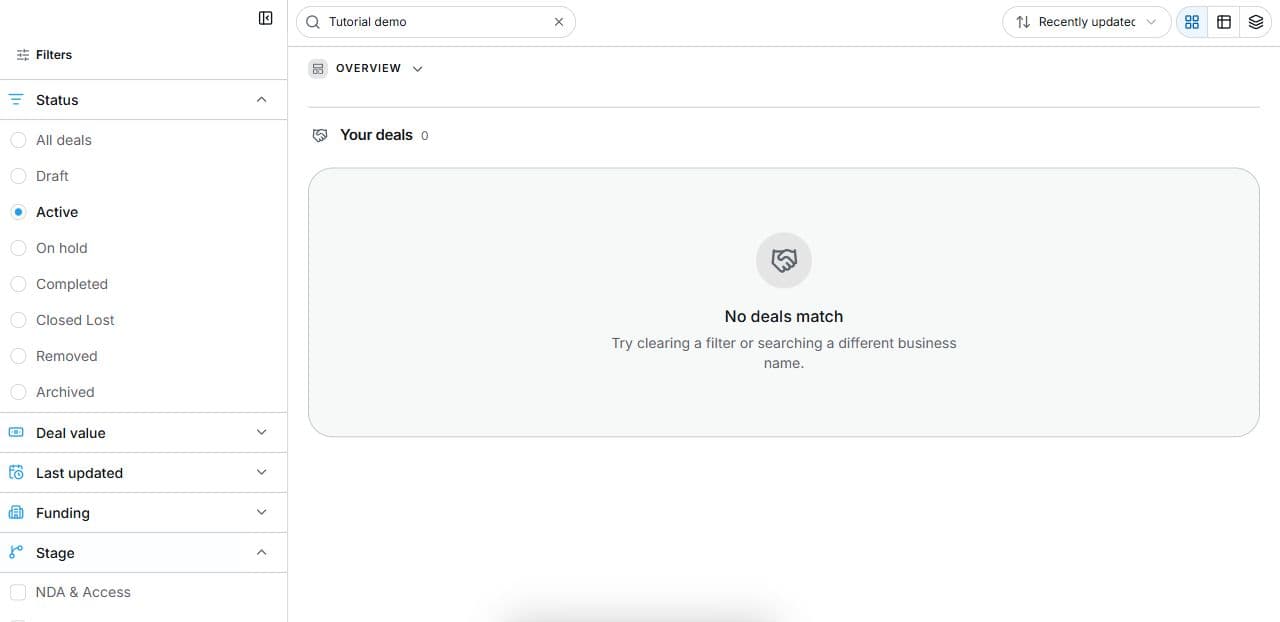
2. Find the relevant status and stage
Open Deal Room → Filters. Combine Status, Stage and Search. The empty capture excludes client records. Filters do not change transactions.
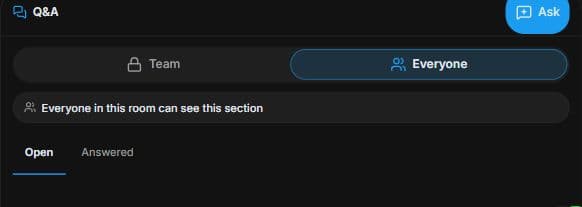
3. Ask an evidence question to the right audience
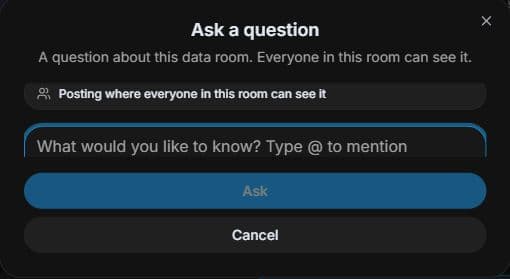
Inspect Q&A → Everyone → Everyone in this room can see. Use Ask to prepare a precise draft; posting requires the final Ask action. Review audience and wording. No question is posted.
4. Review the outcome and next step
In the actual deal, connect the question to source evidence and the adviser responsible for review. Ask only the permitted audience and verify the response before completing work. Exit readiness is preparation, not completed buyer diligence or valuation. This example posts no question and records no diligence approval; use your authorised process for those actions.
Common questions
Short answers to what people ask most about this part of the product.
Can exit readiness replace my diligence?
No. It summarises preparation and gaps. Verify source evidence and obtain the appropriate financial, legal and operational reviews.
How do I write a useful diligence question?
Identify the exact evidence, reporting period and issue. Check whether Team or Everyone is the right audience, then review the draft before the final Ask action.
Why are the shown controls in English?
These real platform captures use English labels. Italian narration and instructions retain them so you can identify the exact shown controls.
Video transcript
You are assessing a shortlisted business and need a diligence plan. Find the permitted opportunity at Due Diligence. Define a specific question, such as whether revenue is supported by current accounts, before collecting files. Open Filters in Deal Room. Status describes the overall state; Stage identifies a transaction step such as NDA and Access, Pre LOI Review, Offer, Escrow and Funding, Due Diligence or Close. Combine these with Search to find work. A filter changes the displayed list; it does not advance, sign off or approve the deal. Everyone is labelled Everyone in this room can see; it is room-visible, not public on the website. Use a specific evidence question that those permitted participants can answer. Ask opens a draft and the posting control submits it, so review the audience and wording first. Keep private team commentary out of shared questions. In the actual deal, connect the question to source evidence and the adviser responsible for review. Ask only the permitted audience and verify the response before completing work. Exit readiness is preparation, not completed buyer diligence or valuation.
Watch the video, or follow the written steps below. Both cover the same walkthrough.
Next guide