Use Case 36
Open funding documents safely
Platform walkthrough
Learn from the actual platform screens and written steps, then perform the authorized actions in your own workspace. Actions explained in the video are not necessarily completed in the example.
Browse use cases for LenderStep-by-step guide
The same walkthrough in writing, with a screenshot for every step.
This walkthrough uses actual platform screens. Actions requiring an authorized user are explained for you to perform in your workspace.
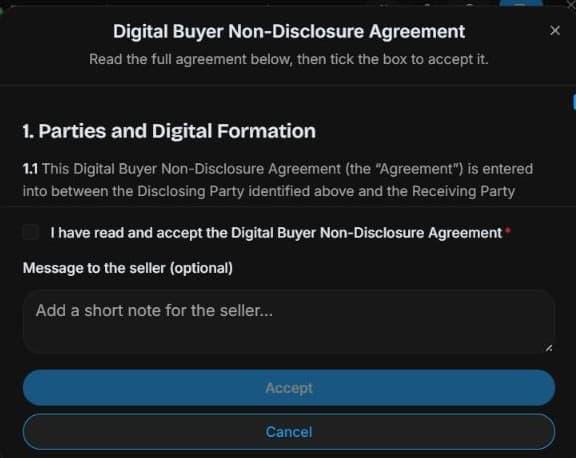
1. Find the correct room
Start at the permitted listing’s Data Room access status or accessible deal. Reader permissions differ from organiser controls shown in the fictional room.
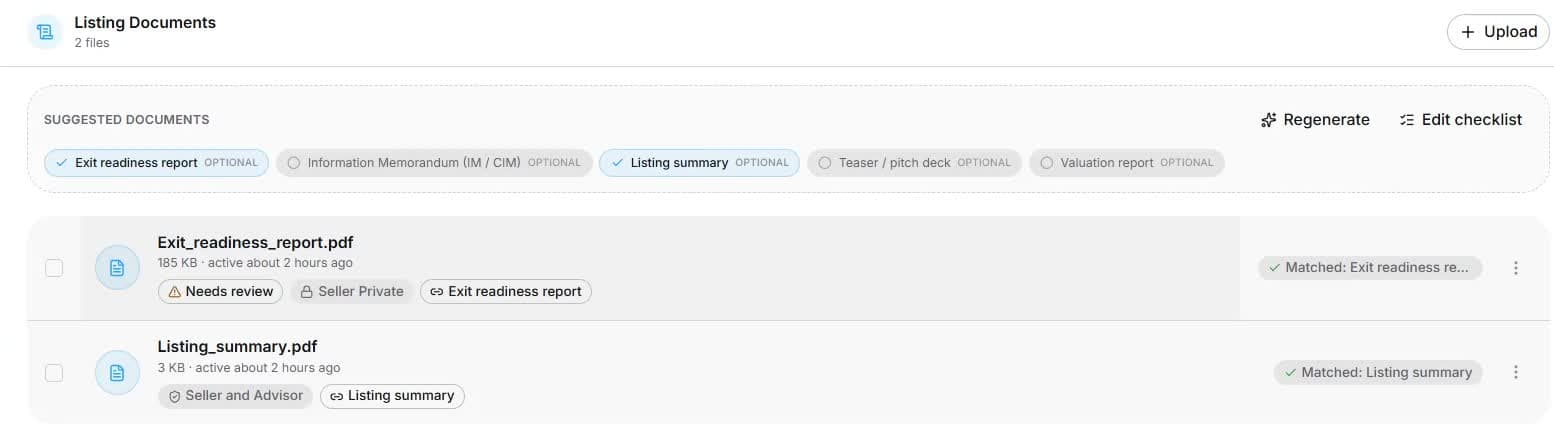
2. Check document version and visibility
Open Documents and inspect category, review status, version and visibility. Organisers review upload classification; readers see only permitted files. Captured records are fictional.
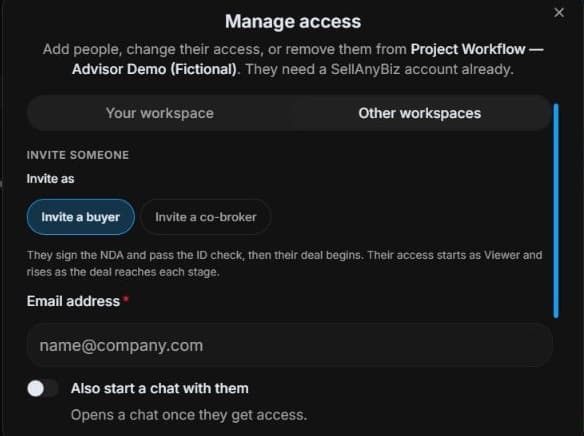
3. Understand organiser access controls
Organiser view: inspect Manage access → Invite buyer / Invite co-broker. Review side, NDA, identity and approval requirements. Reader access does not grant this panel. No invitation or approval is performed.
4. Review the outcome and next step
Compare financial periods, signed accounts and schedules with your institution’s checklist. Ask for the exact missing record instead of treating a generated summary as sufficient. If access is pending, resolve the outstanding requirement with the organiser. Separate evidence review from underwriting approval, and preserve confidentiality when discussing the pack with authorised deal participants.
Common questions
Short answers to what people ask most about this part of the product.
Can a summary replace funding source evidence?
No. Review actual current records required by your institution. Room visibility limits which sources you can inspect.
What if financial periods are incomplete?
Identify the exact missing period or supporting schedule and ask through permitted room/deal controls. A generated summary should not substitute for the required source records.
Why are the shown controls in English?
These real platform captures use English labels. Italian narration and instructions retain them so you can identify the exact shown controls.
Video transcript
You need financial evidence for a permitted funding review. Start from the relevant deal or listing’s room access and confirm your role. A lender reviews only files actually shared after applicable NDA, identity and approval requirements, rather than assuming a funding conversation grants unrestricted visibility. In Documents, inspect file name, category, review status and visibility. These files belong to a fictional training room. A generated report is a summary to review, not a replacement for original accounts or signed contracts. Organisers can upload authorised evidence and inspect its classification. Readers should open only the files actually permitted for their role and verify current reporting periods before relying on them. The organiser’s Manage access panel separates workspace access from external buyer and co-broker invitations. Check the intended person and side before changes. An invitation is not unrestricted access: NDA, identity and approval requirements can still apply. Viewing a document does not give a reader these organiser controls. Compare financial periods, signed accounts and schedules with your institution’s checklist. Ask for the exact missing record instead of treating a generated summary as sufficient. If access is pending, resolve the outstanding requirement with the organiser. Separate evidence review from underwriting approval, and preserve confidentiality when discussing the pack with authorised deal participants.
Watch the video, or follow the written steps below. Both cover the same walkthrough.
Next guide