Use Case 34
Receive funding requests
Available steps and preparation
This video explains the controls available today and how to prepare. Some actions depend on permissions, approval or tools that are still coming soon; the guide identifies these steps.
Browse use cases for LenderStep-by-step guide
The same walkthrough in writing, with a screenshot for every step.
Preparation guide: the related platform tools are shown; this does not demonstrate a completed dedicated workflow. Check the limitations below.
1. Prepare the funding question
Preparation only. Preparation only. Raise capital editing is unavailable. Use actual evidence and an eligible accessible deal; do not bypass restrictions with a false listing.
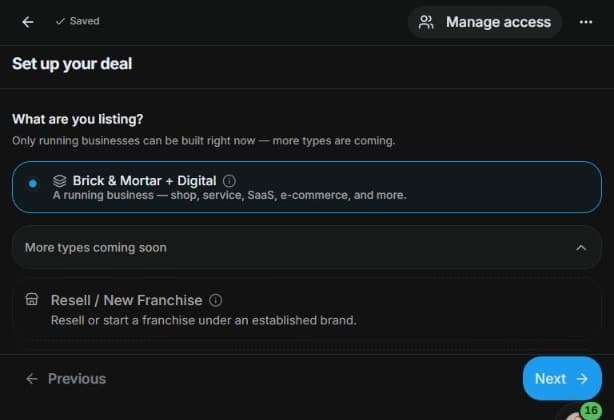
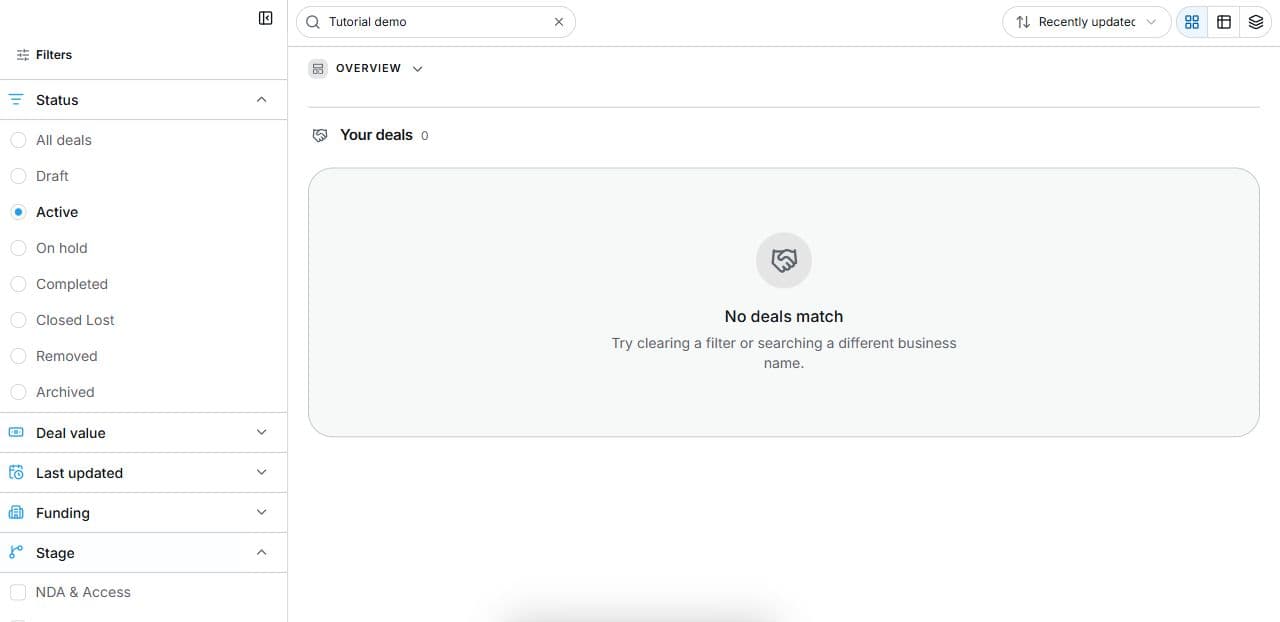
2. Find relevant funding preparation
Inspect Deal Room → Filters → Funding. Written continuation in an eligible accessible deal: review Due Diligence and Raise Capital if offered. This is preparation, not application submission or lending approval.
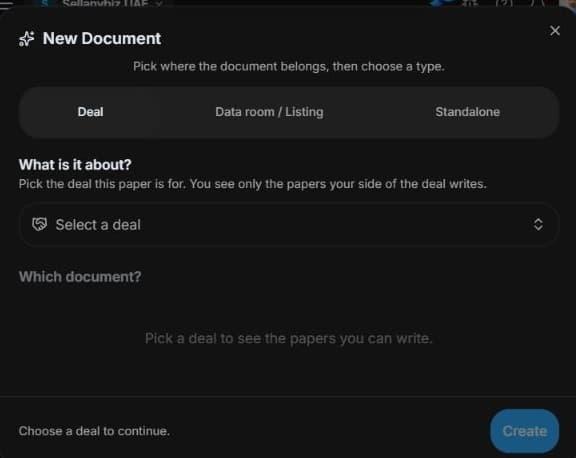
3. Assemble a reviewable funding pack
Inspect Document Builder → Create → Deal funding templates after selecting an eligible record. Review evidence and assumptions. Dedicated Raise capital listing editing is unavailable; this is preparation only.
4. Review the outcome and next step
For a real enquiry, confirm amount, purpose, sources and the participant authorised to supply evidence. Request missing information through permitted deal or room controls. Then follow your institution’s intake and credit process. General filters and templates support preparation; they do not automatically receive an application, credit-score a borrower or create an approval or finance offer.
Common questions
Short answers to what people ask most about this part of the product.
Where is the automatic lender inbox?
It is not verified in this version. Use general deal/funding preparation and the institution’s actual intake process separately.
What should I clarify at the first enquiry?
Confirm borrower, transaction, required amount, purpose and authorised evidence supplier. Apply your actual institutional intake process; general tools do not receive an automatic loan application.
Why are the shown controls in English?
These real platform captures use English labels. Italian narration and instructions retain them so you can identify the exact shown controls.
Video transcript
You want a structured starting point for a borrower conversation. This is preparation only: an automated lender-intake inbox is not verified. Use an authorised deal and its funding evidence rather than expecting a dedicated loan application queue. Identify the actual borrower, transaction and information needed before initiating the institution’s separate intake process. In Deal Room, inspect Filters and Funding. Needs funding is a deal characteristic, not a submitted loan application. Open an eligible record only when you have access. In Due Diligence a Raise Capital checklist may be available. It tracks preparation requirements, not a lender’s credit decision or guarantee. Filtering and checklist progress do not establish eligibility, affordability, approval or an offer. Use Document Builder with an eligible deal source to inspect available funding templates. Assemble the actual amount, purpose, financial evidence and repayment or investment assumptions. Review a draft against current records. The dedicated capital-raise listing editor is disabled in this version. These general tools prepare a finance discussion; they do not run automated underwriting, submit an application or issue a credit approval. For a real enquiry, confirm amount, purpose, sources and the participant authorised to supply evidence. Request missing information through permitted deal or room controls. Then follow your institution’s intake and credit process. General filters and templates support preparation; they do not automatically receive an application, credit-score a borrower or create an approval or finance offer.
Watch the video, or follow the written steps below. Both cover the same walkthrough.
Next guide