Use Case 32
Work with your internal team
Platform walkthrough
Learn from the actual platform screens and written steps, then perform the authorized actions in your own workspace. Actions explained in the video are not necessarily completed in the example.
Browse use cases for Investor / PEStep-by-step guide
The same walkthrough in writing, with a screenshot for every step.
This walkthrough uses actual platform screens. Actions requiring an authorized user are explained for you to perform in your workspace.
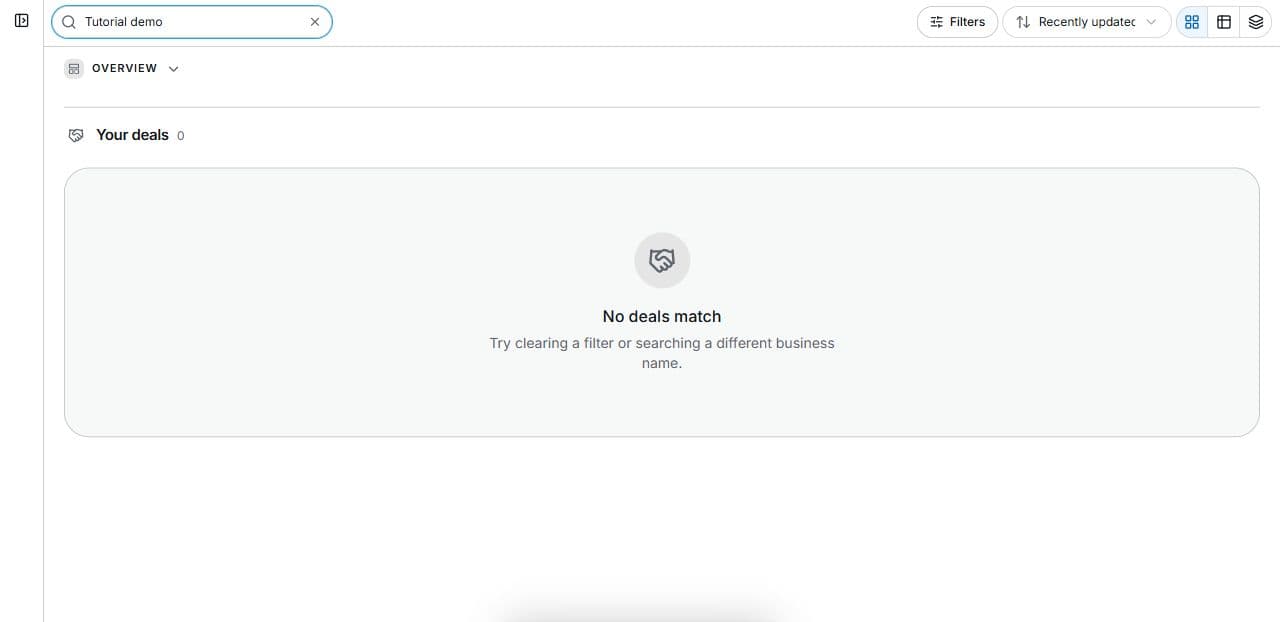
1. Agree the collaboration need
Find the relevant accessible deal. Define task, side and required evidence before changes or invitations. Q&A captures explain an organiser’s fictional room.
2. Keep team discussion on the right side
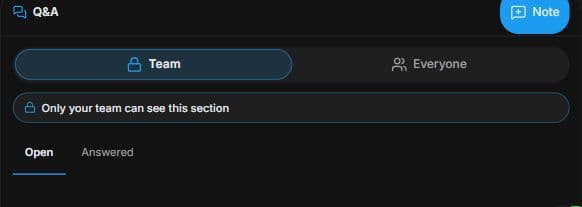
In the permitted room, inspect Q&A → Team → Only your team can see. Check Open / Answered. This captured organiser room explains audience boundaries; no note is posted.
3. Prepare the shared question carefully
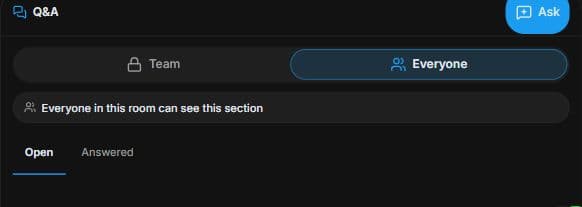
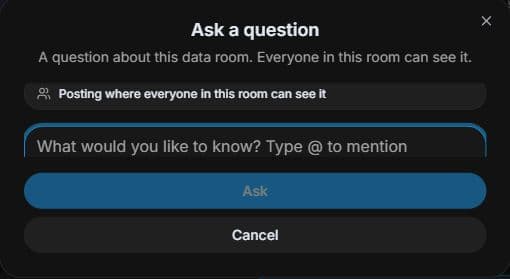
Inspect Q&A → Everyone → Everyone in this room can see. Use Ask to prepare a precise draft; posting requires the final Ask action. Review audience and wording. No question is posted.
4. Review the outcome and next step
Use Team for internal reasoning where permitted and Everyone for evidence questions the room participants should see. Agree an accountable reviewer and compare the actual source version. A discussion or answered question does not vote for the committee. Record the real decision using your authorised investment process and connect subsequent deal actions to its supporting evidence.
Common questions
Short answers to what people ask most about this part of the product.
Does an answered question approve an investment?
No. It records discussion. Investment decisions and required approvals follow your committee’s separate authorised process.
Where should committee reasoning be discussed?
Use the permitted Team audience for internal reasoning. Check its membership; use Everyone only for appropriate room-visible questions, not private investment commentary.
Why are the shown controls in English?
These real platform captures use English labels. Italian narration and instructions retain them so you can identify the exact shown controls.
Video transcript
Your partner and analyst need to review the same target while keeping internal reasoning private. Find the accessible deal and agree who analyses the financial evidence and prepares the decision question. In the related room, Team and Everyone distinguish internal review from room-visible questions. Check the audience before entering committee commentary. In the room’s Q and A, Team is labelled Only your team can see. Use that audience for internal review rather than assuming every discussion belongs with all participants. Open and Answered help distinguish unresolved questions from responses. Visibility is controlled by room membership and permissions. Check which team and room you are in before adding a note; this demonstration posts nothing. Everyone is labelled Everyone in this room can see; it is room-visible, not public on the website. Use a specific evidence question that those permitted participants can answer. Ask opens a draft and the posting control submits it, so review the audience and wording first. Keep private team commentary out of shared questions. Use Team for internal reasoning where permitted and Everyone for evidence questions the room participants should see. Agree an accountable reviewer and compare the actual source version. A discussion or answered question does not vote for the committee. Record the real decision using your authorised investment process and connect subsequent deal actions to its supporting evidence.
Watch the video, or follow the written steps below. Both cover the same walkthrough.
Next guide