Use Case 02
Manage data rooms
Platform walkthrough
Learn from the actual platform screens and written steps, then perform the authorized actions in your own workspace. Actions explained in the video are not necessarily completed in the example.
Browse use cases for M&A advisorStep-by-step guide
The same walkthrough in writing, with a screenshot for every step.
This walkthrough uses actual platform screens. Actions requiring an authorized user are explained for you to perform in your workspace.
1. Choose the correct room route
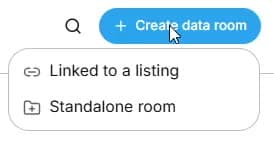
For a new listing, open its prepared linked room. For preparation without a listing, choose Data Room → Create data room → Standalone room.
2. Set up a standalone room
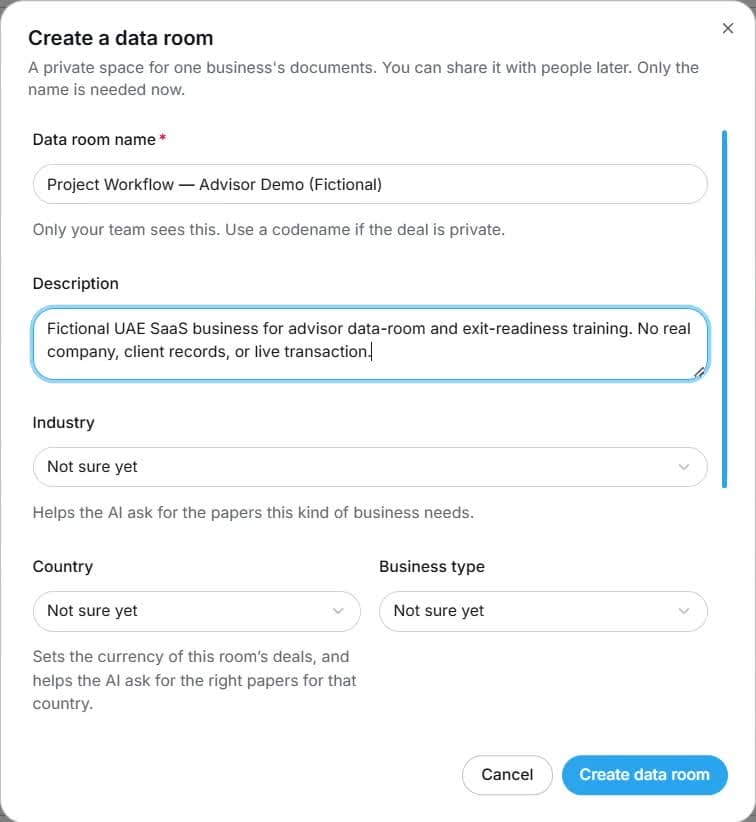
Enter Data room name; add description, industry, country and business type when known. Verify the workspace before Create data room.
3. Upload the source evidence
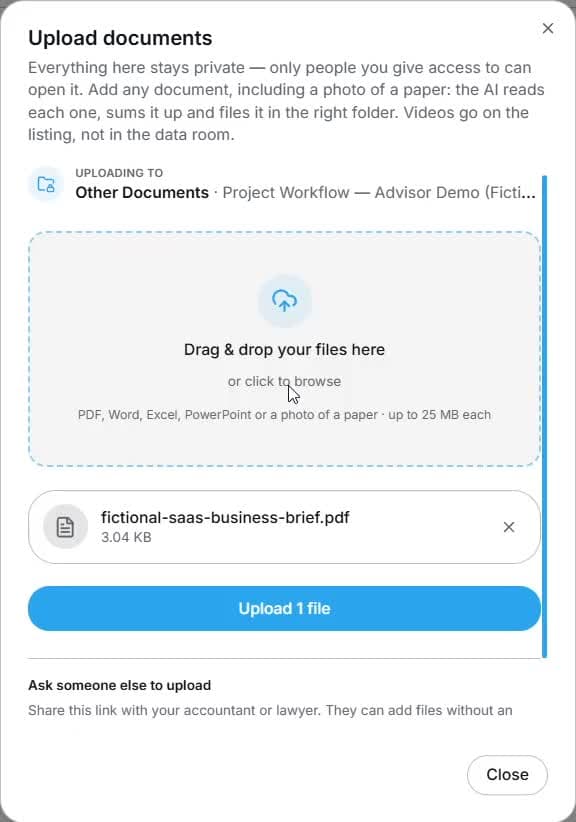
Use Documents → Upload, confirm the folder and upload the permitted evidence. Review the resulting category, status and document visibility.
4. Read the exit-readiness gaps
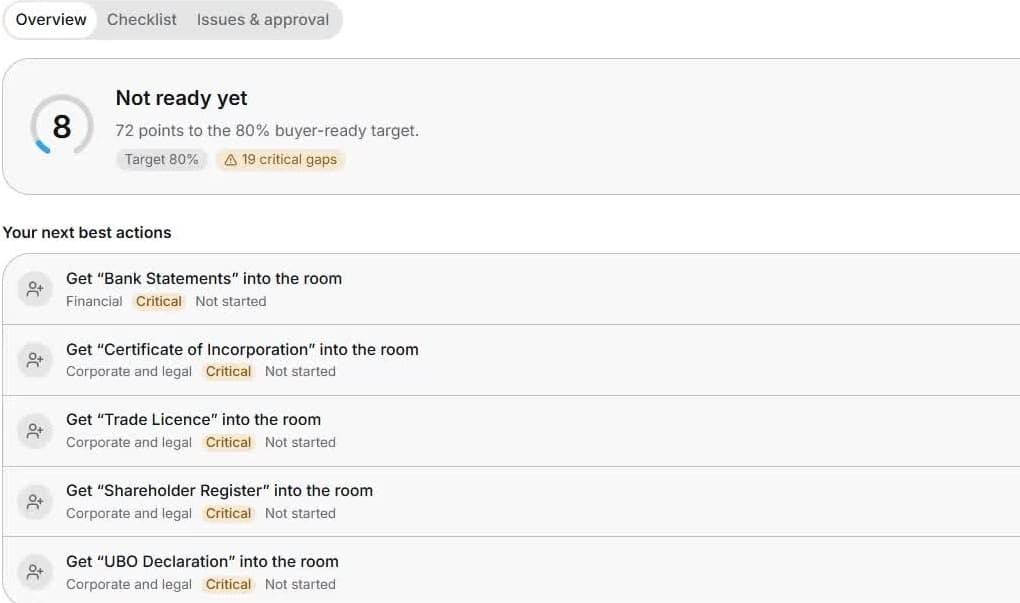
Open Exit Readiness → Overview. Review critical gaps and Your next best actions before prioritising work. Use the score as a preparation indicator.
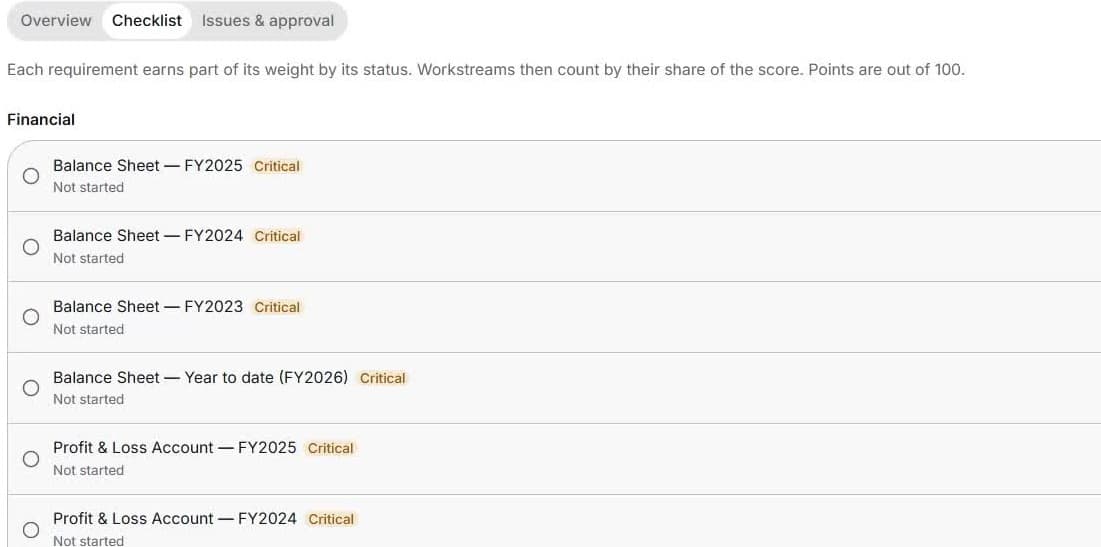
5. Work through the checklist
Review Checklist requirements and periods. Use Assign or Request document for missing evidence, checking recipient and deadline before sending.
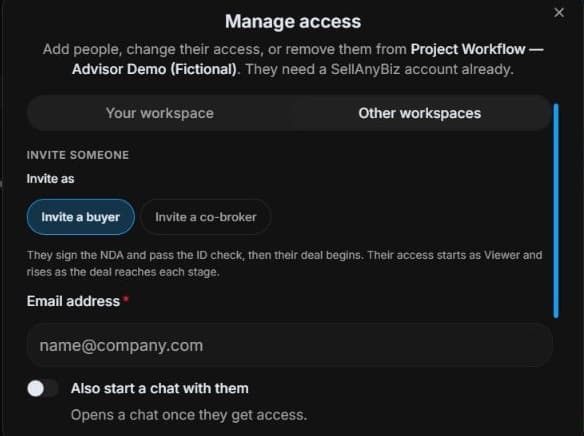
6. Review controlled access
Review Manage access, participant side and per-deal document visibility. Confirm the required NDA, identity checks and approval before sharing.
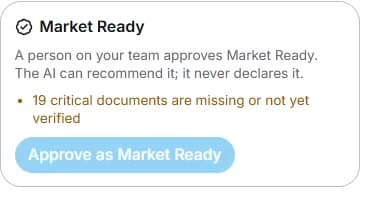
7. Complete the human readiness review
Open Exit Readiness → Issues & approval. Resolve critical missing or unverified documents. An authorised person must review and approve Market Ready.
Common questions
Short answers to what people ask most about this part of the product.
Do I need to create another room after creating a listing?
A new business listing prepares its linked room. Open it for that listing. Choose Standalone room when preparing without a listing.
Why does an upload not resolve the missing item?
Check the required reporting period, document classification, matching and review status. The original evidence must satisfy the requirement; a generated summary alone may not.
Who approves Market Ready?
A person on your team approves it after reviewing the critical gaps and conditions. AI can recommend readiness, but cannot declare Market Ready. The score is not a valuation.
Does inviting a buyer expose every document?
No. Check NDA, identity and approval requirements and the documents released into each deal. Room membership and per-deal document release are separate.
Video transcript
An advisor needs to prepare a fictional client before going to market. A new business listing prepares its linked data room automatically. Open that room for listing work. If preparation starts without a listing, open Data Room, Create data room and Standalone room. This keeps early preparation separate from a public listing. The standalone form requires a room name. Use a project codename when the engagement is private. Add a description and the available industry, country and business-type context; these help tailor document requirements. Check the workspace and business before Create data room. The room shown here was created earlier for fictional training. Open Documents and Upload. Check the destination folder and select the original evidence; the example contains a fictional brief. The form supports documents or a photo of a paper, up to the displayed file-size limit. After upload, inspect classification, review status and visibility. A generated summary does not replace original evidence. Open Exit Readiness and Overview. The fictional snapshot shows eight out of one hundred and critical missing evidence. Read the next best actions, such as bank statements and incorporation records, instead of relying on the headline score alone. Exit readiness measures document preparation; it is not a valuation or a promise of sale. Open Checklist and review each requirement by workstream and reporting period. Prioritise critical items and use Assign or Request document to identify who provides the missing evidence. Check the recipient and deadline before sending a request. Return to the checklist after review; uploading any file does not necessarily satisfy the required item. The organiser reviews Manage access, the person’s side and the documents they may receive. Buyer and co-broker invitations can still require NDA, identity checks and approval. Check which documents are released into each deal before sharing: room membership and document release are separate. In Exit Readiness, open Issues and approval. This example still has nineteen critical documents missing or unverified. Resolve the evidence gaps before the readiness review. A person on your team approves Market Ready. AI can recommend it, but never declares it.
Watch the video, or follow the written steps below. Both cover the same walkthrough.
Next guide