Use Case 26
Oversee due diligence
Platform walkthrough
Learn from the actual platform screens and written steps, then perform the authorized actions in your own workspace. Actions explained in the video are not necessarily completed in the example.
Browse use cases for M&A advisorStep-by-step guide
The same walkthrough in writing, with a screenshot for every step.
This walkthrough uses actual platform screens. Actions requiring an authorized user are explained for you to perform in your workspace.
1. Find the correct opportunity
Open Platform → Deal Room → Search your deals in the correct workspace. The safe capture has no client records.
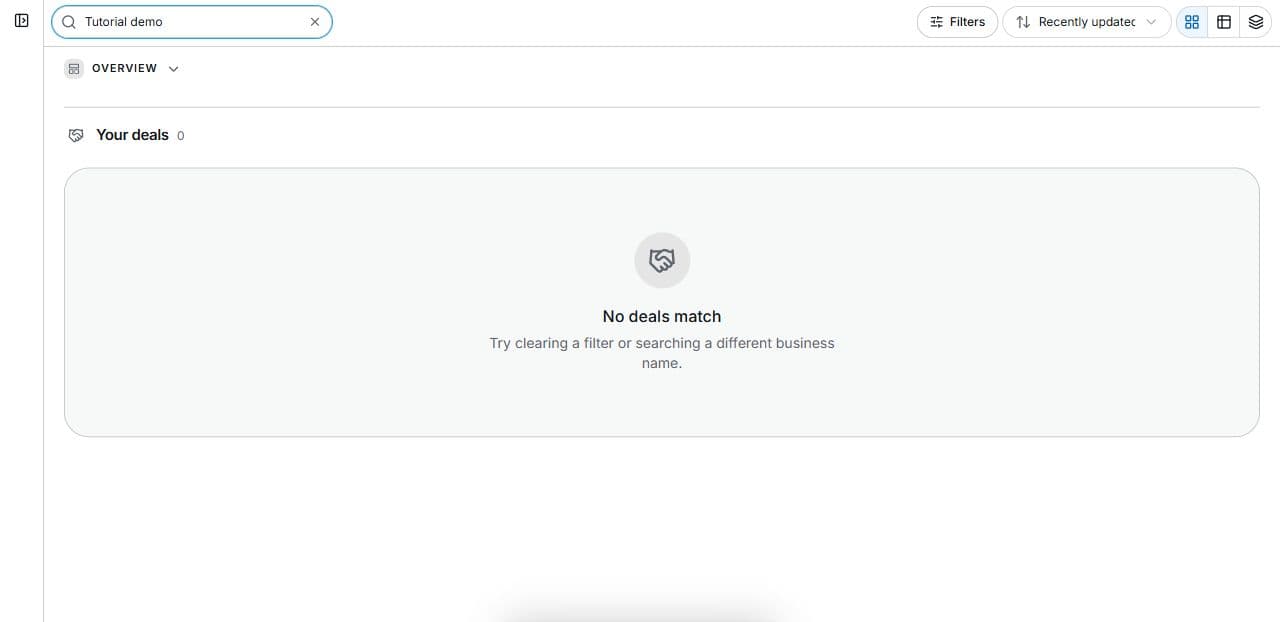
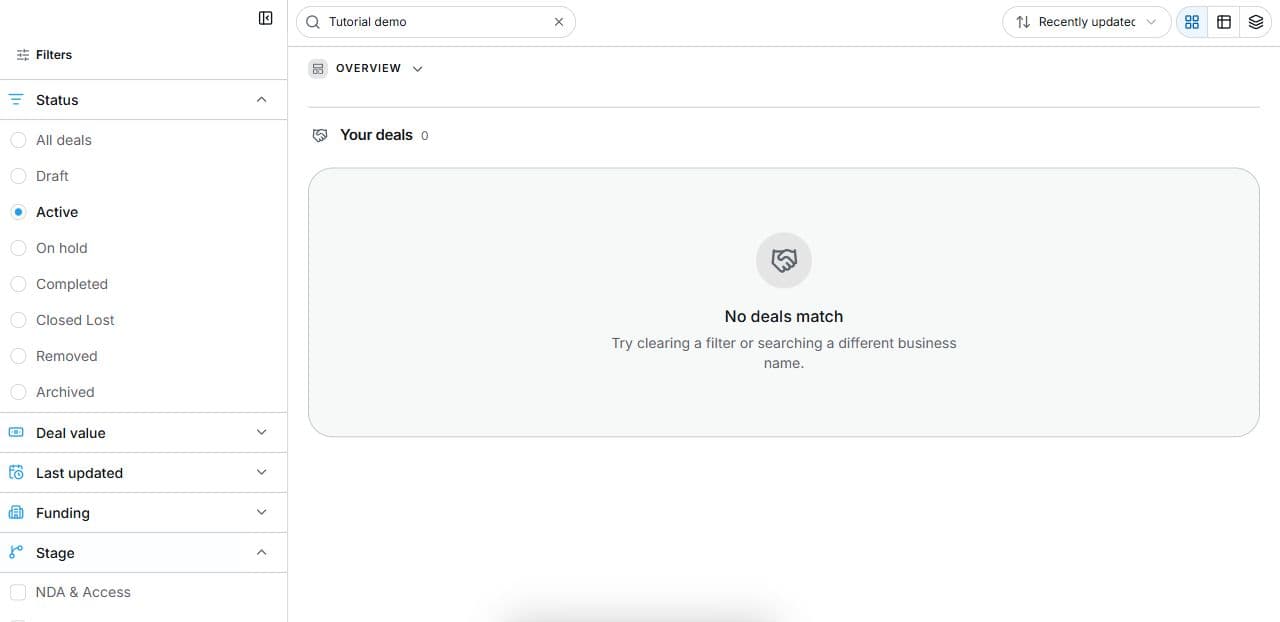
2. Find the relevant status and stage
Open Deal Room → Filters. Combine Status, Stage and Search. The empty capture excludes client records. Filters do not change transactions.
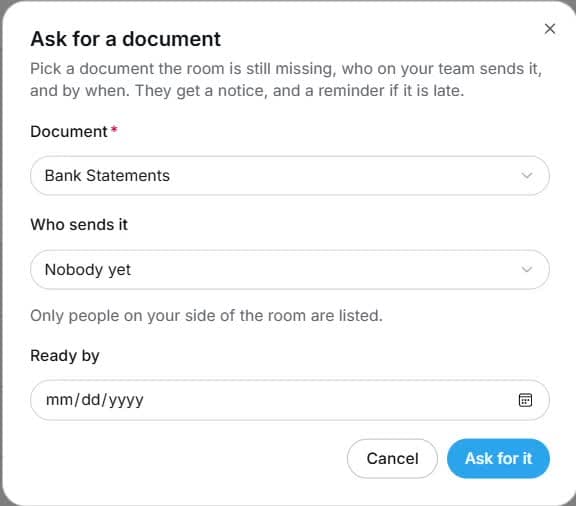
3. Prepare a precise missing-document request
Prepare Request document in the permitted room. Check document/period, Who sends it, Ready by, notification and reminder. The captured request is unsent. Verify received evidence before completing the requirement.
4. Review the outcome and next step
Identify the missing document, supplier and required date, then review notifications before a real send. Check the received version and answer before completing its task. A generated summary is no bank evidence. This form remains unsent, so the video assigns no work, sends no reminder and records no diligence approval.
Common questions
Short answers to what people ask most about this part of the product.
Does opening Request document notify the client?
Not in this tutorial; it remains unsent. Review Who sends it, Ready by, requested evidence and notification before a real send.
When is a document request complete?
After the correct evidence arrives and is reviewed against the requested period and requirement. Opening or sending a request is not the same as satisfying diligence.
Why are the shown controls in English?
These real platform captures use English labels. Italian narration and instructions retain them so you can identify the exact shown controls.
Video transcript
Your client’s diligence is missing bank statements and an answer about a contract. Find the deal at Due Diligence, then prepare a precise evidence request. You will use your own permitted room and participant details for the real request rather than sending the demonstration. Open Filters in Deal Room. Status describes the overall state; Stage identifies a transaction step such as NDA and Access, Pre LOI Review, Offer, Escrow and Funding, Due Diligence or Close. Combine these with Search to find work. A filter changes the displayed list; it does not advance, sign off or approve the deal. The Bank Statements request form asks which document is needed, Who sends it and Ready by. Check that the person is on the appropriate side and can supply the evidence. Use a specific reporting period rather than a vague request for all financials. Review notification and reminder details before sending, then verify the received version against the actual diligence requirement before treating the item as complete. Identify the missing document, supplier and required date, then review notifications before a real send. Check the received version and answer before completing its task. A generated summary is no bank evidence. This form remains unsent, so the video assigns no work, sends no reminder and records no diligence approval.
Watch the video, or follow the written steps below. Both cover the same walkthrough.
Next guide